¶ The Problem
Printer status (e.g. "no toner" or "out of paper") doesn't reset to "ready" after the issue is fixed. Most likely cause: the wrong monitoring port is configured — typically a WSD port instead of a plain TCP/IP port, even if you entered an IP address during installation.
It looks like this:
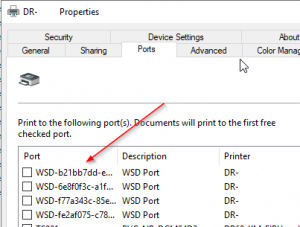
WSD ports don't expose port settings, so you can't fix the monitoring from there. Here's what to do instead:
¶ Quick Guide
¶ Step 1
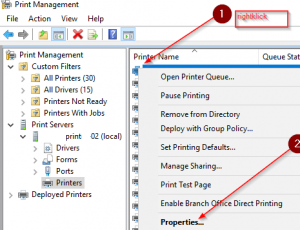
Right-click the printer on the Print Server and choose Properties.
¶ Step 2
Add a new TCP/IP port using the printer's IP address directly.
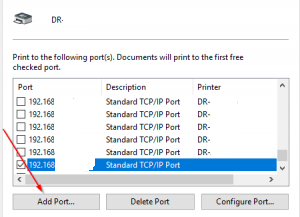
(Click Add Port, select TCP/IP, enter the printer's IP address.)
¶ Step 3
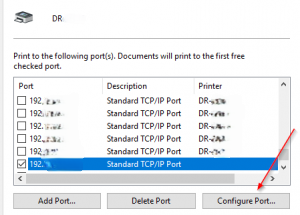
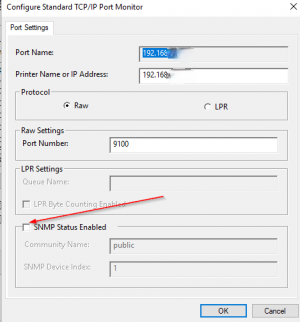
Open the settings for the new port — this is the step that doesn't work with WSD.
¶ Step 4
Disable SNMP Status Enabled.
¶ Step 5
Enjoy the fact that it works now.
H@ppy H@cking